Gadgets and Tech Reviews

Showing posts with label Software. Show all posts

Monday, November 1, 2010

Seesmic Desktop 2: (Another) All-in-One Social Client

The only social media client I have installed in my laptop is TweetDeck (the same one I used in my iPhone and iPad) but it looks like Seesmic Desktop 2 is going to replace it already.

Seesmic D2 allows you to manage over two dozen social media accounts and web services — from Facebook and Twitter to FourSquare, LinkedIn and MySpace or Ping.fm — just one social client to rule them all.

And that’s on top of the iPhone and Android clients already available.


Best part of it is that developers can create their own plugins to extend compatibility to other services or sites.

Seesmic runs on Adobe Air so make sure you have it installed before downloading the desktop client {download}.

Sunday, October 25, 2009

Revive and Recover your Files

There’s no point crying over spilled milk but if that figurative milk turns out to be a file which took you hours or years to create, nobody can blame you for wailing.

Don’t fret yet, there are several ways to get reunited with the lost file, In fact, there are tons of Data Recovery Tools out there, such as DT utilities Digital Rescue and Data Recovery Wizard. The thing is, these products will cost you a few thousand bucks and they’re hard to find in the local market.

To help you cut on expenditures and to end your frustration from a file accidentally wiped out by human error or system glitch, I have listed (in no particular order) the Top Four Free Data Retrieval Applications according to various reviews online.

Read on and get yourself one today.

1. RECUVA

A date retrieval application with a lot of swag in its name, Recuva is a Windows-based tool with two modes of operation. If you can recall the last location of a missing file, Recuva’s manual mode will conduct a search in a location in your computer where ou thought your file should’ve been. But if you don’t know where to look, then you should try its file recovery wizard. With it, you can indicate the kind of file you’re looking fir and set a specific location.

Recuva assigns data recovery probability by means of light system (green-high; yellow-average; red-low). Recuva can also recover files from digital camera memory cards of MP3 players, and can restore files that have been corrupted by bugs, crashes and malwares.

http://www.piriform.com/recuva


2. RESTORATION

A simple name for something user-friendly, Restoration allows users to recover files, which were deleted from the Recycle Bin, On either a File Allocation Table (FAT) or New Technology File System (NTFS).

The moment you delete a file, it doesn’t mean that it’s gone for good. It simply becomes invisible, hidden in the depths of you hard drive. The space that used to belong to a deleted file is made available for use, but until that space in overwritten, the deleted file is sil retrievable. Restoration only requires 406k of disk space, so it leaves plenty of disk space for other programs or files, In addition, Restoration is compatible with most versions of Windows. However, it lacks advance features other data recovery tools have.

http://www3.telus.net/mikebike/RESTORATION.html


3. PC Inspector File Recovery 4.x


As the name implies, this program is one mean examiner that can perform quite well as a data rescuer, even if the boot sector or FAT of the missing file is unavailable. The PC Inspector File Recovery 4.x works by scanning your drive for recoverable files, and making such files available in a “Deleted” folder in an Explorer Style navigation tree, It also works with most versions of Windows and supports FAT12, FAT16, FAT32 and NTFS. A reminder to interested parties, you should never install PC Inspector File Recover 4.x on the drive where you plan to conduct data recovery. The program must be installed on another independent drive (e.g. flash drive).

http://www.pcinspector.de/file_recovery/UK/welcome.htm
http://www.snapfiles.com/get/pcinspector.html


4. DiskDigger


If you aim for versatility, then DiskDigger can serve you well. This application recovers files from any type of media including USB flash drives, memory cards, and hard drives. Aside from its data recovery prowess, DiskDigger can scan reformatted or poorly formatted disks, and even disks with bad sectors, and can support FAT12, FAT16, FAT32, NTFS and exFAT file systems. DiskDigger works by going through the Windows file system drives, scanning disks directly for deleted files or for traces of lost files, Aside from rivaling Restoration in terms of portability, the program can be run from any storage device and doesn’t leave any traces of having been used in a system.

http://dmitrybrant.com/diskdigger

*Reminders

FAT, NTFS and exFAT are examples of file systems. Each file system corresponds to a certain storage device:

FAT12 – floppy disks
FAT16 – old memory cards
FAT32 – new memory cards
NTFS – new hard disks
exFAT – Microsoft’s upgrade from FAT32

Wednesday, September 30, 2009

Microsoft Security Essentials anti-virus software is now live and free

In a move that's sure to please a few million Windows users and break the hearts of a handful of anti-virus companies, Microsoft has now finally made the non-beta version of its Security Essentials software available to the general public, and it's not even asking that you throw a launch party to get it for free. For those not in on the beta or following Microsoft's exciting forays into freeware, the software promises to cover all the security basics and fend off viruses, spyware and other malicious software, and Microsoft even assures us that it'll "run quietly in the background" and only intrude on your life when an action is required. You'll also, of course, get free updates on a regular basis, and it'll work just fine whether you use Windows XP, Vista or Windows 7 -- hit up the link below to grab a copy.

http://www.microsoft.com/security_essentials/

Wednesday, January 7, 2009

Flash for iPhone/iPod Touch now (sort of) Available

It seems that the prayers of all those who are hoping for Flash support to become available for the iPhone/iPod Touch may have just been finally answered, and no, it’s not coming from Apple.

iMobileCinema for iPhone/iPod Touch

It’s courtesy of the iMobileCinema app which is designed for the jailbroken iPhone and iPod Touch. Even though it promises to provide Flash support on the Safari browser, it’s not a completely perfect solution as users have reported that some Flash-based sites still don’t work. Nevertheless, this is probably as close as you’re going to get to having Flash work on the iPhone/iPod Touch at the moment.

If you want to try it out, just add d.mobilecinema.com to the sources in Cyda and install the iMobileCinema app. While you’re at it, tell us what you think about it in the comments section below as we certainly want to hear your take on this ambitious application.

Saturday, November 22, 2008

iPhone Google Mobile app now Supports Voice-Recognition

Here’s some news that might interest all of you iPhone owners out there. Google has just released the latest version of Google Mobile app which now includes voice-recognition functionality. This basically means you don’t have to type in a search query anymore in order to perform a search.

Just run the application, place the iPhone near your ear as if you were making a call, and tell it what you want to search for. It’s that easy. It automatically enables voice command functionality when you place the iPhone near your ear thanks to the proximity sensor that’s built-in the device. Voice commands are currently limited to US English only, but additional language support will be provided as part of future updates. This new version of the Google Mobile app likewise comes with Search with My Location which basically provides a localized search based on your current location. It’s a great additional feature, but I don’t think it works here in the Philippines.

Anyway, the all-new and improved Google Mobile app is now available via the App Store, and what’s even better is that it’s completely free. Check it out for yourself and tell us what you think about it.

Wednesday, September 17, 2008

Google Chrome Beta

I’ve heard about it, downloaded it, installed it, and used to our heart’s content.

I'm a bit amazed but not totally surprised and this is what i’ve seen on Google Chrome so far.

Go to www.google.com/chrome and from there, you can download an installation file but not exactly the whole program (or read more info about the application.)

Run the installation file and from there it’ll automatically download the Beta version and you’re done. Chrome will also ask if you want to import bookmarks and other stuff from your default browser.

Shimmering simple

No menu bar, no big icons, and no status bar. Those who are used to using IE or Firefox may be surprised with the Chrome’s uncommon appearance.

All you get are small icons, the address bar, and a default bookmark folder located on the upper right side of the window. These aren’t really new and works fairly the same with most tabbed browsers, but where do you access its other features?

On the upper right corner, just above the bookmarks folder, you’ll see a paper-like icon and a wrench icon. When your mouse pointer hovers above the former and it displays "Control the current page," click and you see similar controls like "New tab" (Ctrl+T), "New window" (Ctrl-N), "Cut" (Ctrl+X), "Copy" (Ctrl+C), and so on. You’ll also notice that most keyboard shortcuts have more or less the same commands.

What’s new? Well, "Create application shortcuts" is one feature new to us as this lets you create a shortcut for a specific web page. This is an alternative to using the bookmark, and the shortcut can be placed on either your desktop, Start menu, or Quick launch bar, or on all three locations.

You haven’t heard of a browser that has its own task manager have you? Chrome has one for the reason that each tab opened is a separate process by itself. Go run your operating system’s own task manager and you will see for yourself.

Why is this so? Perhaps to prevent work interruptions if you happen to work online most of the time. And it’s pretty annoying when your OS suddenly tells you that you browser is "not responding" and needs to be closed. In Firefox or Seamonkey, running the application again would ask you if you want to "restore your last session."

No matter how many tabs you have opened, they will be opened on the last known page you’ve been to. Of course, with emails, you have to re-log-in (and there might not be any assurance that composed messages are saved unless you’re used to pressing Ctrl+S every now and then).

Now, if you want to control or tweak Chrome’s behavior as an application, this is where you have to click on the wrench icon ("Customize and control Google Chrome"). Choose "Options" from here and a window opens up, showing you three tabs - "Basic," "Minor Tweaks," and "Under the hood."

You can let Chrome automatically open the pages you’ve visited on your last session once you run it (and it will do it all the time unless you change it in the options to either open the home page or specify certain URLs to be opened).

Let’s say you often check you mail, visit a forum site, and read sources Wikipedia on a daily basis, you don’t have to open three tabs and type in their URLs or open them from your bookmarks. All you have to do is log in and wait.

The standard home page for Google Chrome shows you a history of recently-viewed pages in a thumbnail-like manner. And its interactive, meaning it’s already a link to those pages. Click the "show full history" and you have a track record of your internet activities for the past several days.

And the usual stuff here allows you to control settings on downloads, passwords, fonts and languages. For nerds, check "under the hood" because this is where the network, web content and security settings can be changed.

So far, the Beta version of Chrome is quite impressive in terms of performance. Although it may show signs of lag on old PCs (like on one unit we installed), it hasn’t crash yet. And there’s still more to expect from Chrome in the coming months so this isn’t the end of the road yet.

Click here for the battle of the 3 BIG WEB BROWSERS (Firefox 3, Internet Explorer 8 Beta, Google Chrome)

visit my blogspot at http://gadgetechreviews.blogspot.com/

Which Internet Brower Is Best?

Things are really heating up when it comes to the way we surf the Internet. In the past couple of weeks, we've seen a new version of Firefox and Internet Explorer out as well as an entirely new browser by Google called Chrome.

So which one shines above the others? What new features are in these new browsers?

Microsoft Internet Explorer 8

This is version 8.0 and it's still in beta. Upon opening you'll see it looks pretty much the same as other versions. There's a lot done under the hood to improve safety and privacy on the web and developers will be happy about that one.

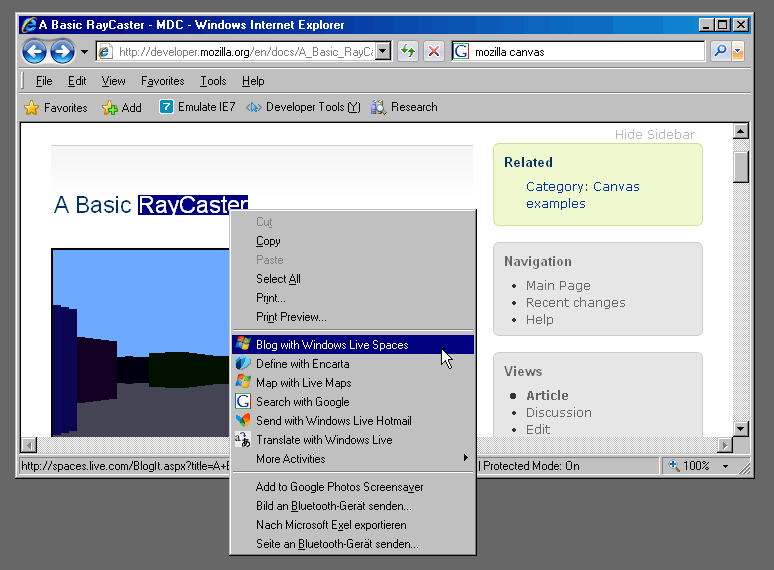
Some cool consumer features include web accelerators. Highlight anything on a Web page and you can instantly receive a definition or live map for instance.

Find yourself wanting to keep watch on an eBay item but want to keep browsing elsewhere? You can with Web Slices. Simply mouse over an item at eBay or a number of sites and if it's Web Slices compatible, a green icon will appear. The item then appears in your favorites area and when the bid is updated, for instance, you'll notice the page listing gets bolded.

Ever tried to buy a gift for a significant other only to have them stumble across it in your Internet history? Well with "inprivate" mode you won't have to worry. Just launch inprivate and there will not be any record kept of the sites you've visited.

Overall, if you're an IE lover this one is worth a download.

Firefox 3

Firefox is great, and the new Firefox 3 browser is a must-have. It's sleek, easy to use and you'll notice it's much faster than even the new Internet Explorer browser.

I'm a big fan of its built in spell-checker, the smooth scrolling and the fact you get the same browsing experience in Windows XP as you would on a Mac or on Linux.

Tabbed browsing is very easy with this browser. If you accidentally close a tab, just go to the recently closed tabs area and you can reopen. Should the browser crash, all your tabs will be reopened and even the email you were typing out will be saved down to the last word you typed!

The download manager is also really nice. Click to download something, and it will pop up showing you the status and how long is left. You can even pause the download to minimize bandwidth usage should you need to.

One other cool feature is that the browser learns your surfing style. It remembers and indexes sites you've visited. Just type in a keyword and off you go.

While it doesn't have a privacy mode currently, it will by the release of version 3.1 later this month.

All in all, a very strong choice for a browser.

Google Chrome

This shiny new browser is worth keeping an eye on. Within 24 hours of launching, it was able to garner 1 percent of the total browser share worldwide, beating out Opera, which is impressive for a first-time release.

When you use Chrome you'll notice instantly how fast it is. Opening up the browser takes 1/3 the time of the other two and you'll really notice a speed difference as you go between pages. Google is big on being lean and speedy and that's what you get with its browser.

Open it up and rather than a homepage you get a snapshot of the sites you visit most. Click on one and you're taken to the page.

Besides speed, Chrome's claim to fame is the Omnibar -- an address bar and search all in one.

While you're typing search terms into it, bits and pieces are being sent to Google so you are getting partial search returns as you type. It's similar to Google Suggestions where you receive suggestions on search terms as you're typing into the search engine.

It also has a privacy browsing mode called Incognito, and when you're browsing in this mode you'll notice the spy in the upper left hand corner. Again, any site you visit here is not stored in your history or temporary Internet files.

It also uses tabbed browsing and, unlike Internet Explorer, each tab is loaded independently in the background, so if one tab crashes only that one is closed -- lessening your chances of accidentally losing all of them.

Also, pull out any of the tabs and they become their own windows.

In the end, while there are some compatibility issues with certain plug-ins and Web sites, for a speedy experience it's worth an install.

Speaking of speed, here's how the browsers did in my test:

Startup Times
  • Chrome: 2s
  • IE 8: 8.5s
  • Firefox: 6s

    Loading Channel3000.com

  • Chrome: 2.5s
  • IE 8: 6s
  • Firefox: 3s

    Loading C3ktogo.com

  • Chrome: 7.5s
  • IE 8: 9s
  • Firefox: 8s

    Download the browsers here:

    Google Chrome: http://tools.google.com/chrome/?hl=en-US

    Internet Explorer 8: http://www.microsoft.com/windows/internet-explorer/beta/default.aspx

    Firefox 3: http://www.mozilla.com/en-US/firefox/

  • Thursday, September 11, 2008

    Media Sync: Use iTunes for your Mobile Phone

    You’ve got iTunes for your iPod, but why not use it also to transfer music to for your mobile phone or other mp3 players as well? With Media Sync by Salling Software, you can now do just that.

    Media Sync by Salling Software

    Media Sync currently supports a variety of Nokia, Sony Ericsson phones and the HTC Diamond as well as several Sony Walkman products too. If you’re not sure if you’re gadget is supported, check out the list of compatible devices here. I am optimistic, though, that more devices will be supported in the near future. The basic product is free to download and there’s a version available for both Windows and Mac. The fast sync version, however, will set you back $22. It’s expensive for a piece of software, but I guess if you like how the Media Sync app works, then I guess its worth it in the end.

    Try it out for yourself and share with us your experience while you’re at it.

    Apple launches iTunes 8, NBC comes back, TV shows at $1.99, Genius in the house

    Just in time for couch season, Apple has busted out iTunes 8 with a slew of new features, like the Genius sidebar. Also, NBC is back on board with its lineup of TV shows. According to Jobs, "The Office is coming back, Monk, Battlestar Galactica, 30 Rock... and they're coming back in HD." HD versions of shows will run you $2.99 while SD versions run a reasonable $1.99 (when compared to, say, a full month's cable access). Meanwhile, "Genius" is a new feature that Apple says will change the way you browse your media. "Old browsing wasn't efficient," said Jobs. "in iTunes 8 you can look by album cover, and this new bar at the top let's you look at anything graphically in little tiles." Basically, Genius is a contextual iTunes store recommendation tool that will, in essence, make it easier for you to spend money. It also makes custom playlists on the fly based on your habits, and shares them (anonymously, they promise) with other users. So what's missing so far? None of the rumored subscription services, for one, and any mention of new hardware or iPhone functions, like, say disk mode. We'll keep wishing. Apple says it is making iTunes 8 available immediately (which, to them, may mean "some time later"), so let the download races begin!

    Wednesday, September 10, 2008

    iPhone 2.1 software update announced (update: $10 for some iPod touch owners)

    Ah, bug fixes galore. Apple just announced firmware 2.1 for the iPhone and iPod touch. "No crashes," says Steve. He's calling it a big update with the promise of fewer dropped calls, big battery improvement, and faster backups. Is this a dream? We'll find out when it's released this Friday.
    P.S. No mention of copy and paste.


    Update: 2.1 will be available for iPod touch owners for $10. Come on, you didn't really expect it to be free did you? There's a "buy now" button at the end of that link but it only downloads v2.0 at the moment.


    Update 2: Fine print says free to those who paid for iPod touch 2.0 update. Lucky you.

    Friday, August 22, 2008

    Now Available - StarOffice 9 beta for Mac

    Mac users can now download the beta version of StarOffice 9 at no charge until August 17 and try it out for 90 days.

    StarOffice is an office suite that includes a word processor (Writer) spreadsheet (Calc), presentation program (Impress) , drawing tool (Draw) , database tool (Base) and formula generator. StarOffice 9 boasts of some great features. It allows users to read, edit, and save PDF files, import Microsoft Office 2007 OOXML files, allows users to add notes to Writer documents and has improved charting capabilities in Calc. When the full version of StarOffice 9 is released, it is anticipated to be identical to OpenOffice.org 3.0.

    As a consumer, you might ask why you must choose one from the other. Although StarOffice and OpenOffice.org are based on the same code base , they differ in a few aspects : branding, packaging, support , price and licence.

    StarOffice is a brand that is developed, marketed , maintained and supported by Sun Microsystems. As a brand, consumers expect it to perform a certain way, and is thus shaped by competitive forces. Unlike OpenOffice.org, which relies on contributions and monetary donations from the OpenOffice.org community, corporate investment is poured into StarOffice as a revenue-generating product.

    The aspect of packaging means that everything the StarOffice user needs is available on the same CD upon purchase so that users do not have to worry about downloading the extensions that they need on the Internet. This is in contrast to OpenOffice.org, in which the user individually searches for and downloads extensions from an online repository.

    The third aspect is support. Business users can obtain enterprise-level support from Sun (and not just Sun) for StarOffice while OpenOffice.org users rely on the OpenOffice.org community or third party support providers. StarOffice is more applicable to enterprise users, governments and academic institutions who want the ease of using and maintaining the application and have the money for it . Sun offers paid support services and training for StarOffice users. Note, however that the beta version of StarOffice 9 does not come with support.

    The fourth aspect is the price. The regular price of StarOffice 9 is .95 while the full version of OpenOffice.org costs nothing.

    The fifth aspect is license. While StarOffice is built with open-source software, the license of the actual application is closed. Thus, the freedom that comes with using open source software does not apply to StarOffice. Unlike OpenOffice.org, you can not simply copy , modify , redistribute and install StarOffice on your friends’ computers. In fact , some extensions that are sold by Sun have similar versions for OpenOffice.org that are freely available from the OpenOffice.org repository. Others take OpenOffice.org extensions and crack it for StarOffice. (Perhaps the ethics of such act depends on your interpretation.)

    In essence, OpenOffice.org has the edge in terms of community contributions while StarOffice boasts of being the more thoroughly qualified product.

    The release of StarOffice 9 for Mac is significant because it allows Mac users to adopt the OpenDocument Format, an ISO standard file format for office documents. This means document compatibility with Linux, Windows and other operating systems, thus closing the divide in terms of file formats. In addition, Open Office.org 3.0 and StarOffice 9.0 natively support OOXML, the file format used by MS Office 2007.

    StarOffice 9 was developed for Mac OS X 10.4 or later versions . It is downloadable from the the Sun Microsystems website http://www.sun.com/software/staroffice/get_beta.jsp upon registration. This is the first release to offer native Mac support, which means it does not require X11.

    Wednesday, August 6, 2008

    Do you want free software?

    Are you looking for a software?

    A legitimate software that is. Here’s a site that offers free website - Giveaway of the Day (http://www.giveawayoftheday.com)

    Every day the site nominate one software title that will be a Giveaway title of that day. The software will be available for download for 24 hours (or more, if agreed by software publisher) and that software will be absolutely free. That means - not a trial, not a limited version - but a registered and legal version of the software will be free for our visitors.

    The software product will be presented in its full functionality, without any limitations save for those mentioned in Terms and Conditions.

    The download link will remain on Giveaway of the Day web-site for the agreed period of time, together with the review of the software product and the information about other products from the software publisher presenting the giveaway title.

    Now who said there’s nothing free in this world. Have Fun!

    WorldWide Telescope (WWT) Application


    Microsoft unveiled a public beta of its WorldWide Telescope (WWT) web application that allows star gazers and astronomers deep into the universe Tuesday.

    "The WorldWide Telescope is a powerful tool for science and education that makes it possible for everyone to explore the universe," said Bill Gates, chairman of Microsoft. "Our hope is that it will inspire young people to explore astronomy and science, and help researchers in their quest to better understand the universe."

    Users could surf the skies from their desktop via this software. The software creates an experience that users of all ages will find captivating, said Frank Reddy, a senior editor at Astronomy Magazine.

    Powered by a mix of software and Web 2.0 services created with Microsoft's Visual Experience Engine, WorldWide Telescope uses a massive database containing several terabytes of high resolution images of stars, galaxies, and other heavenly bodies.

    It combines terabytes of celestial images and other data that users can pan across using a viewer that employs Microsoft's Visual Experience Engine.

    The images come from a variety of space- and Earth-based sources, including the Hubble Space Telescope, the Chandra X-Ray Observatory Center, and the Spitzer Space Telescope.

    The service is free, and is dedicated to the memory of Microsoft researcher Jim Gray, who went missing at sea last year. Microsoft said much of the technology in WorldWide Telescope is built on Gray's original SkyServer project.


    Download - http://content.worldwidetelescope.org/setup/setupwwt.exe

    Official Site - http://worldwidetelescope.org/